Portfolio Tracker Lite
$10
Buy NowYou'll receive
a Numbers file
a quick-start guide
Includes
lifetime updates
both light and dark themes
Keep it simple.
The Lite version of the Portfolio Tracker allows you to track single-account portfolios and use the core features of our tracker.
Track anything,
Smol Compute builds on top of Apple's native integration of Yahoo Finance and CoinMarketCap data, ensuring robust and accurate price feeds are used to track your portfolio. You can track anything: virtually all stocks, ETFs, coins, and tokens. Even your favourite exotic micro-cap.


privately.
Designed to keep your data fully private. Local-first means your data stays on your computer. If you choose to sync your portfolio via iCloud to access it across devices, you can retain full privacy with end-to-end encryption for iWork documents.
Let Smol do the math.
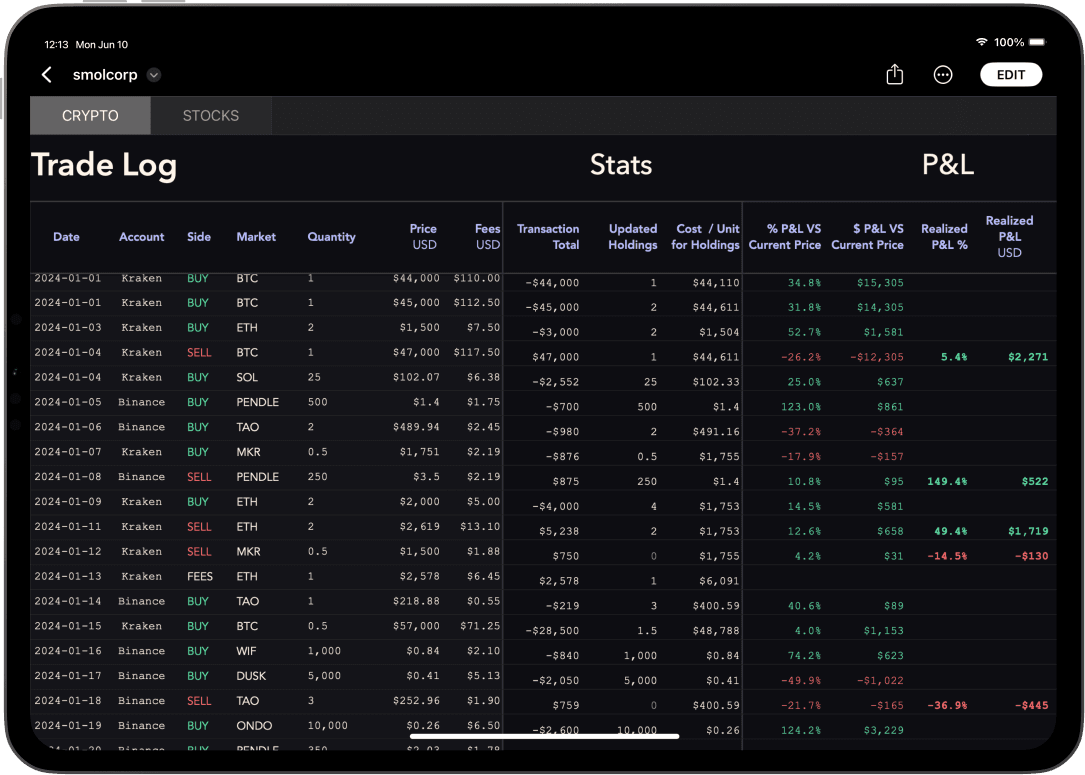
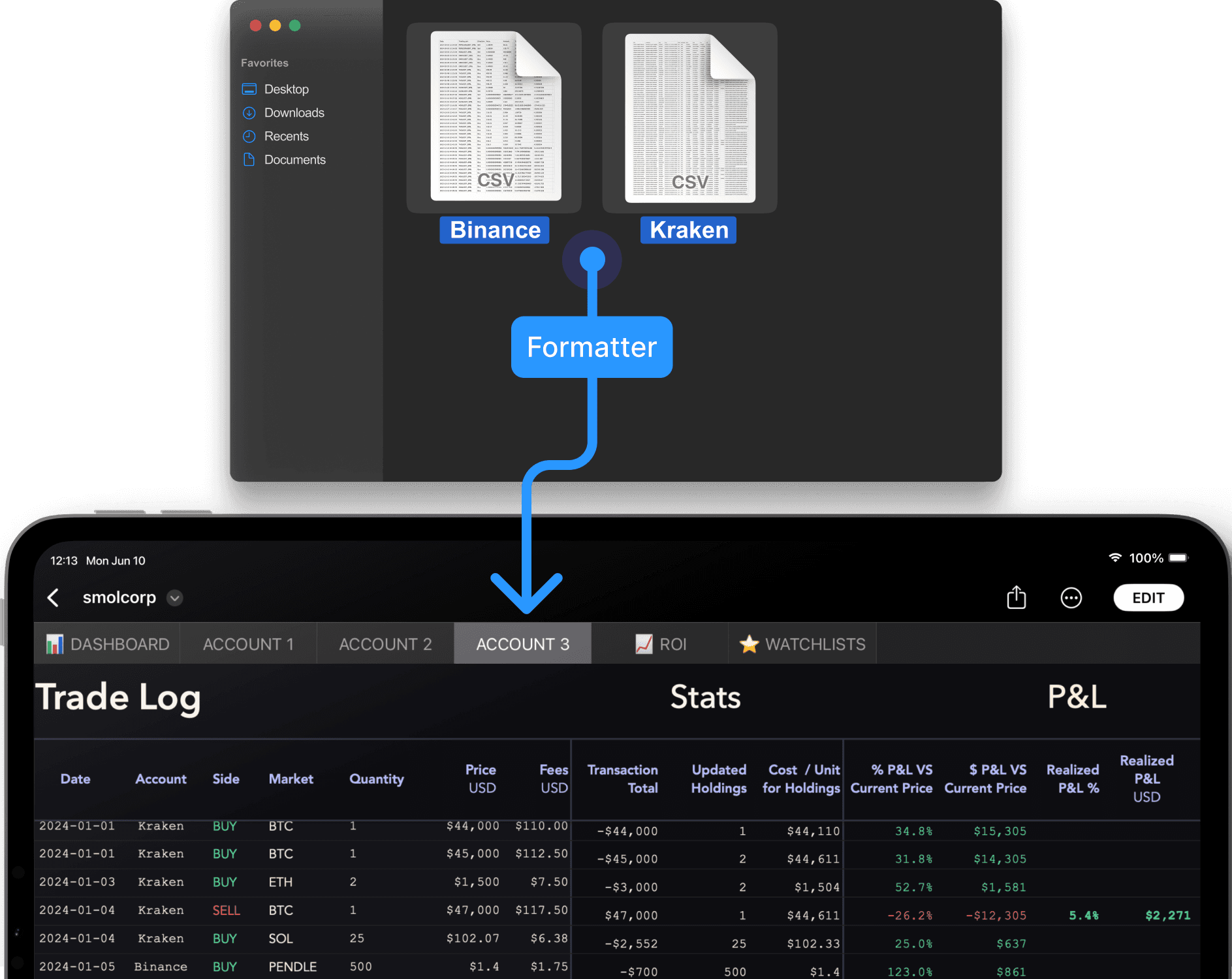
The Trade Log powers both versions of our Portfolio Tracker. Enter your trades manually or batch-import them with the Smol Formatter.
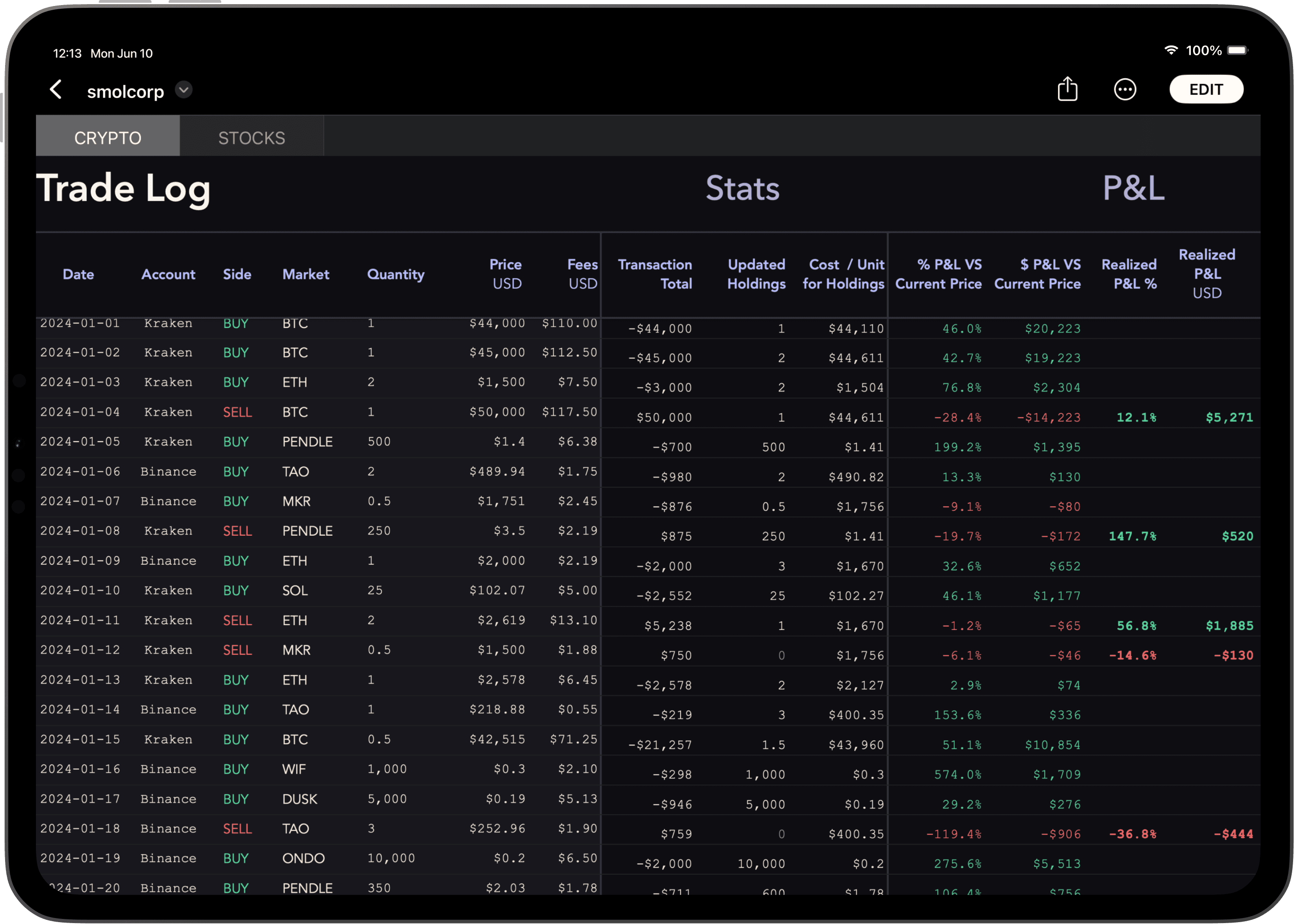
Enter your trades in the first half of the Trade Log.
The second half populates with live stats for each entry.
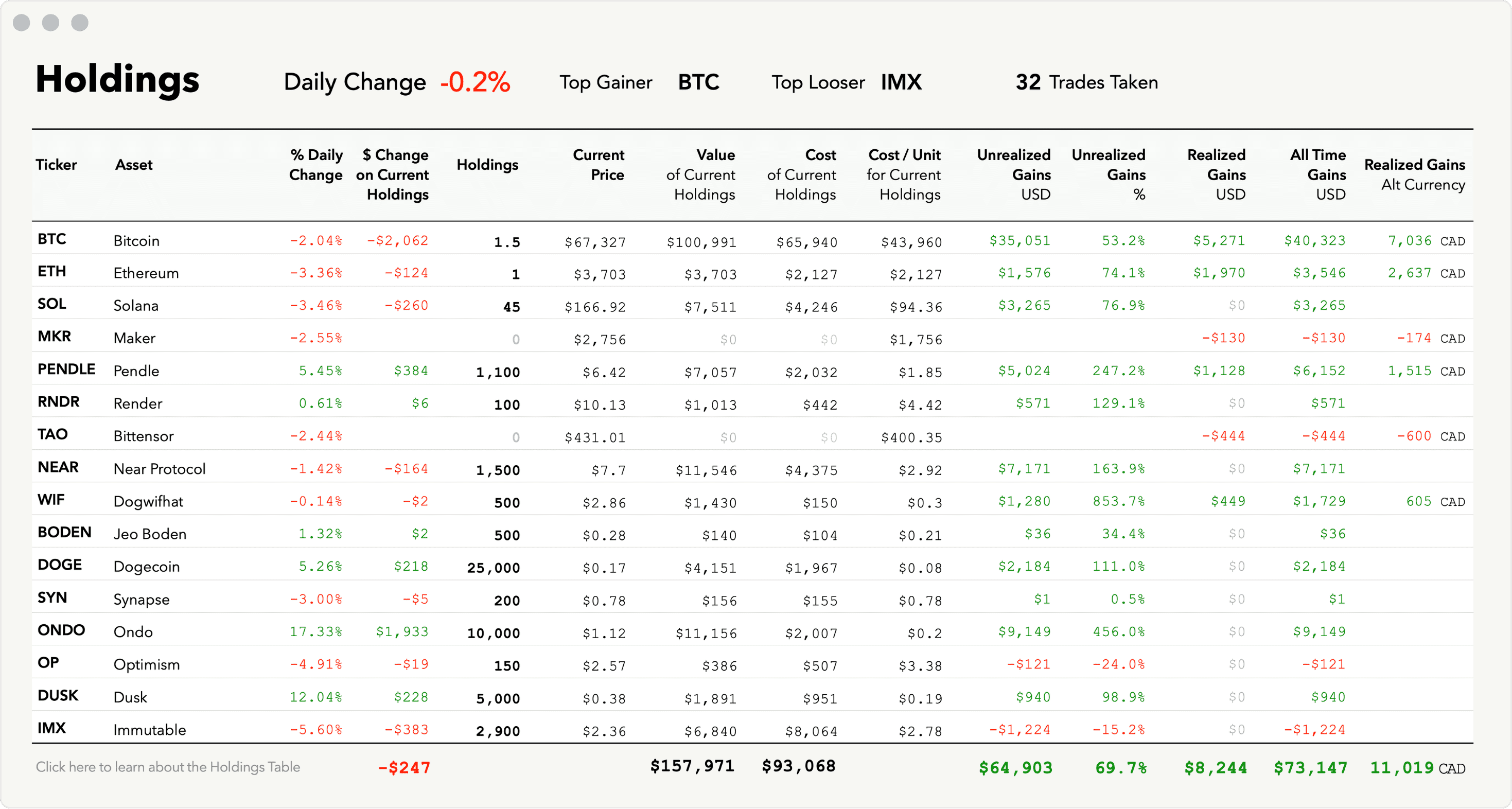
Holdings Summary
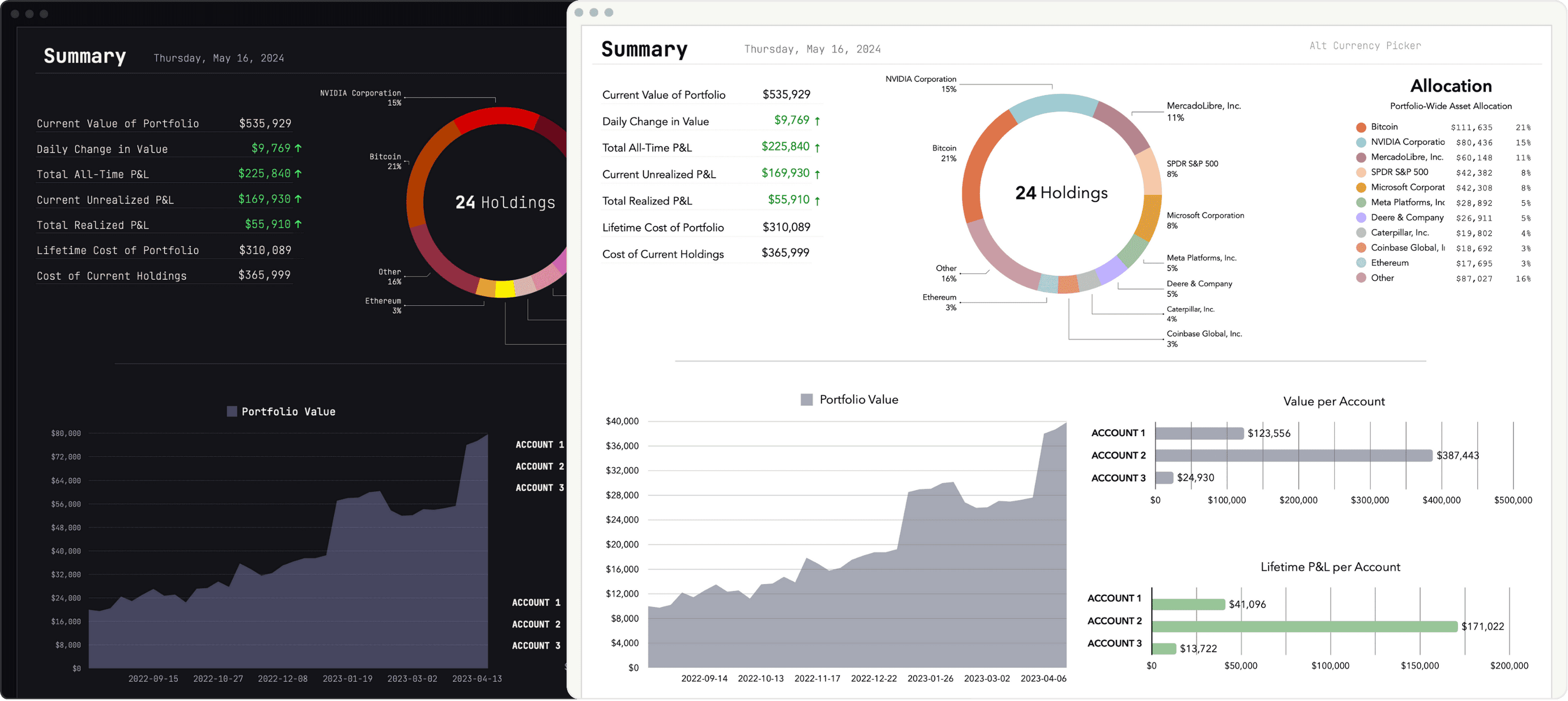
The fully automated Holdings table keeps track of everything for you. Get a granular view of your portfolio and sort your portfolio by column headers.
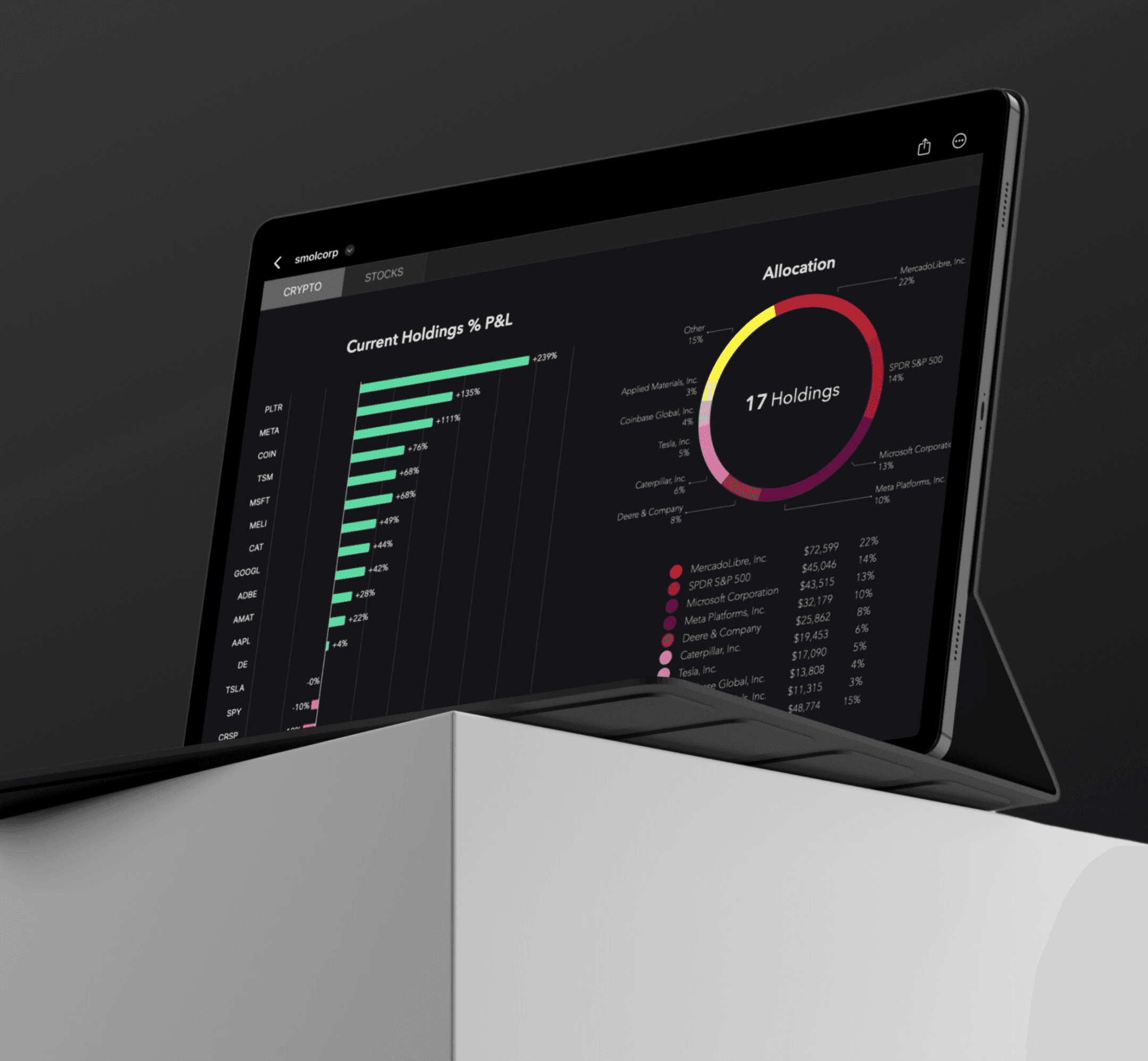
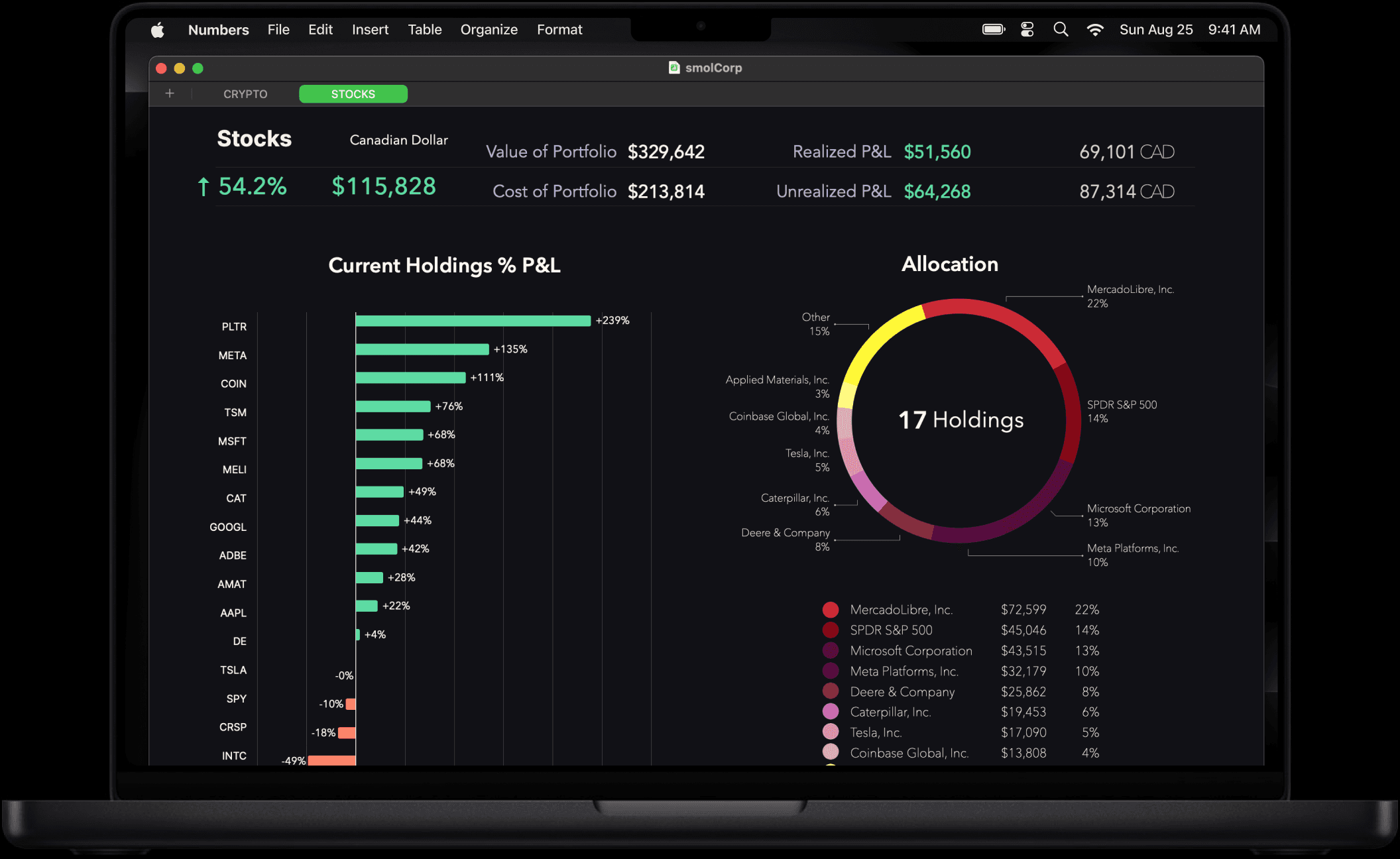
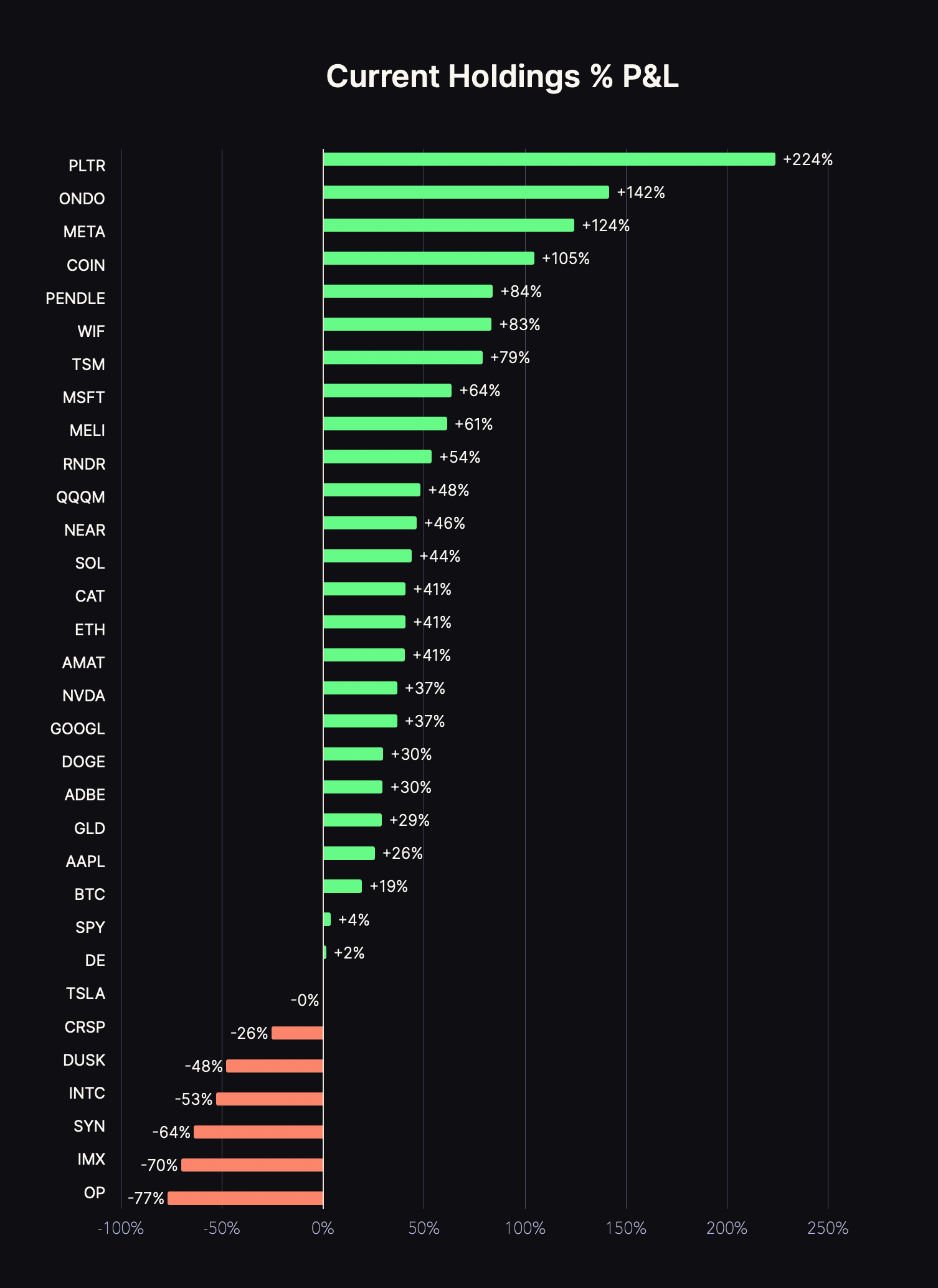
Visualize your performance.
See at a glimpse where you stand with each of your holdings.
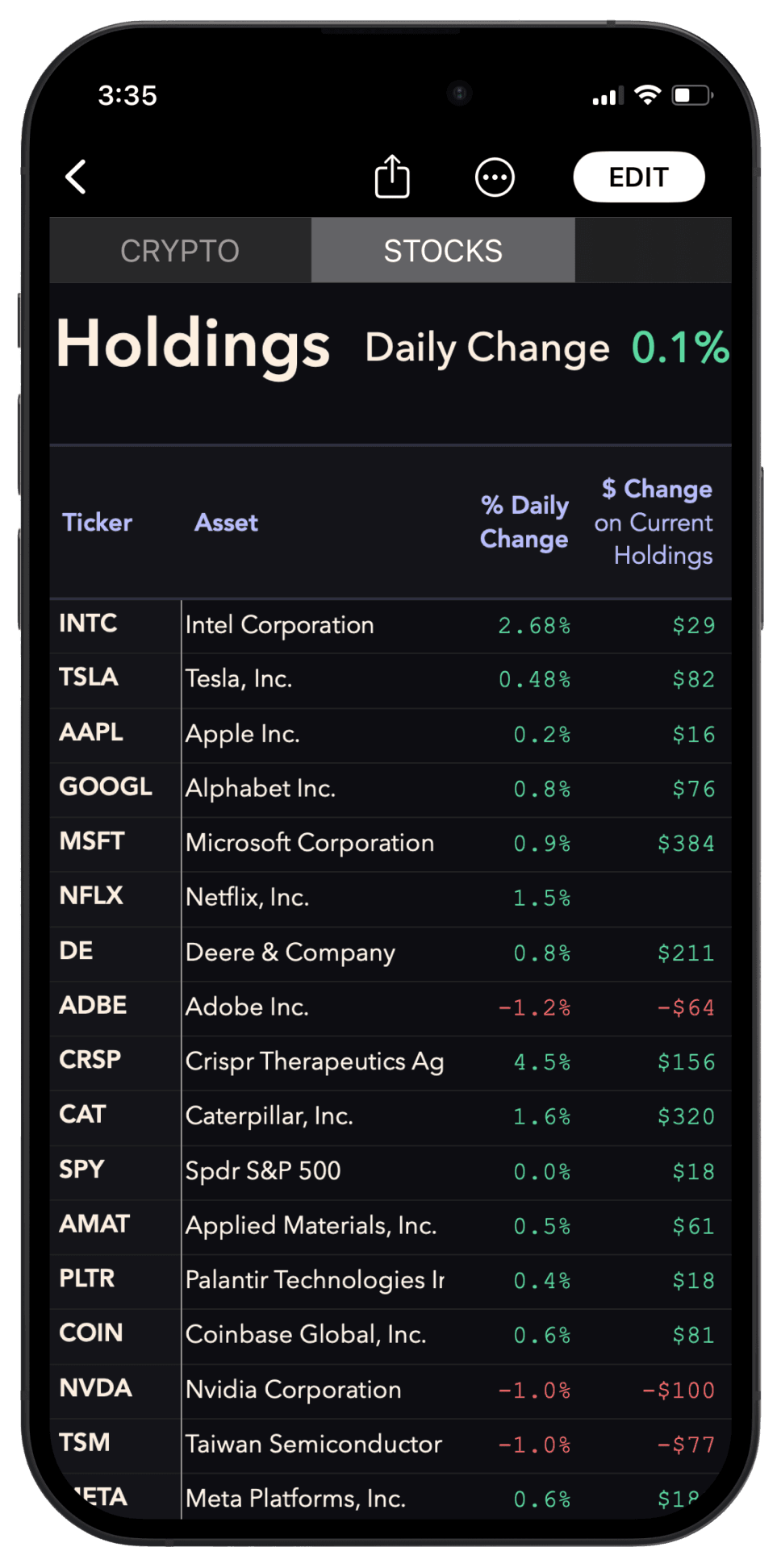
Always with you.
Online or offline.
Desktop or mobile.
Any device. Anytime.
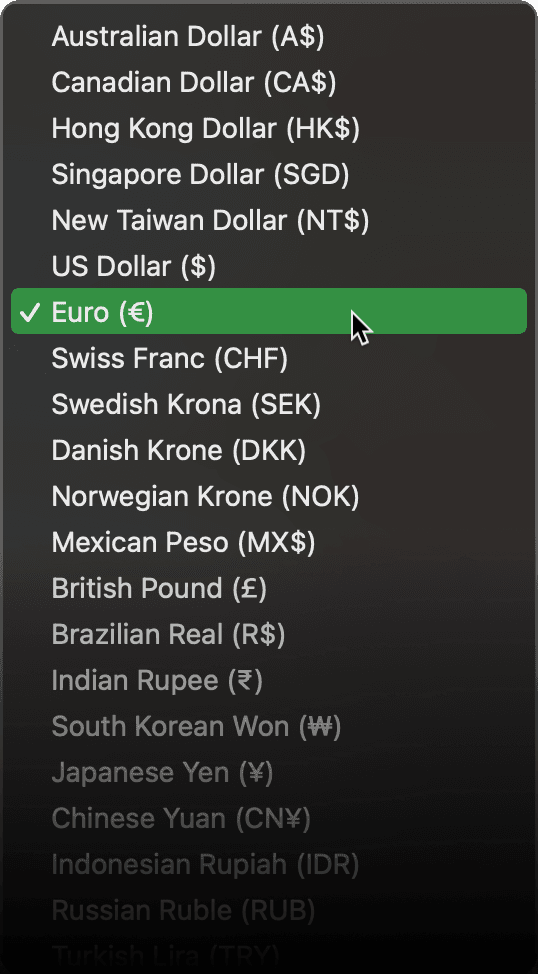
Supports most currencies.
Change the primary currency of the Tracker to your local currency. Smol Compute supports over 30 national currencies.
If you trade assets quoted in USD but live outside of the US, you can also select a secondary currency to monitor important stats in your local currency.
Light & dark themes.
Pick a style. All our Portfolio Trackers include both light and dark themes.
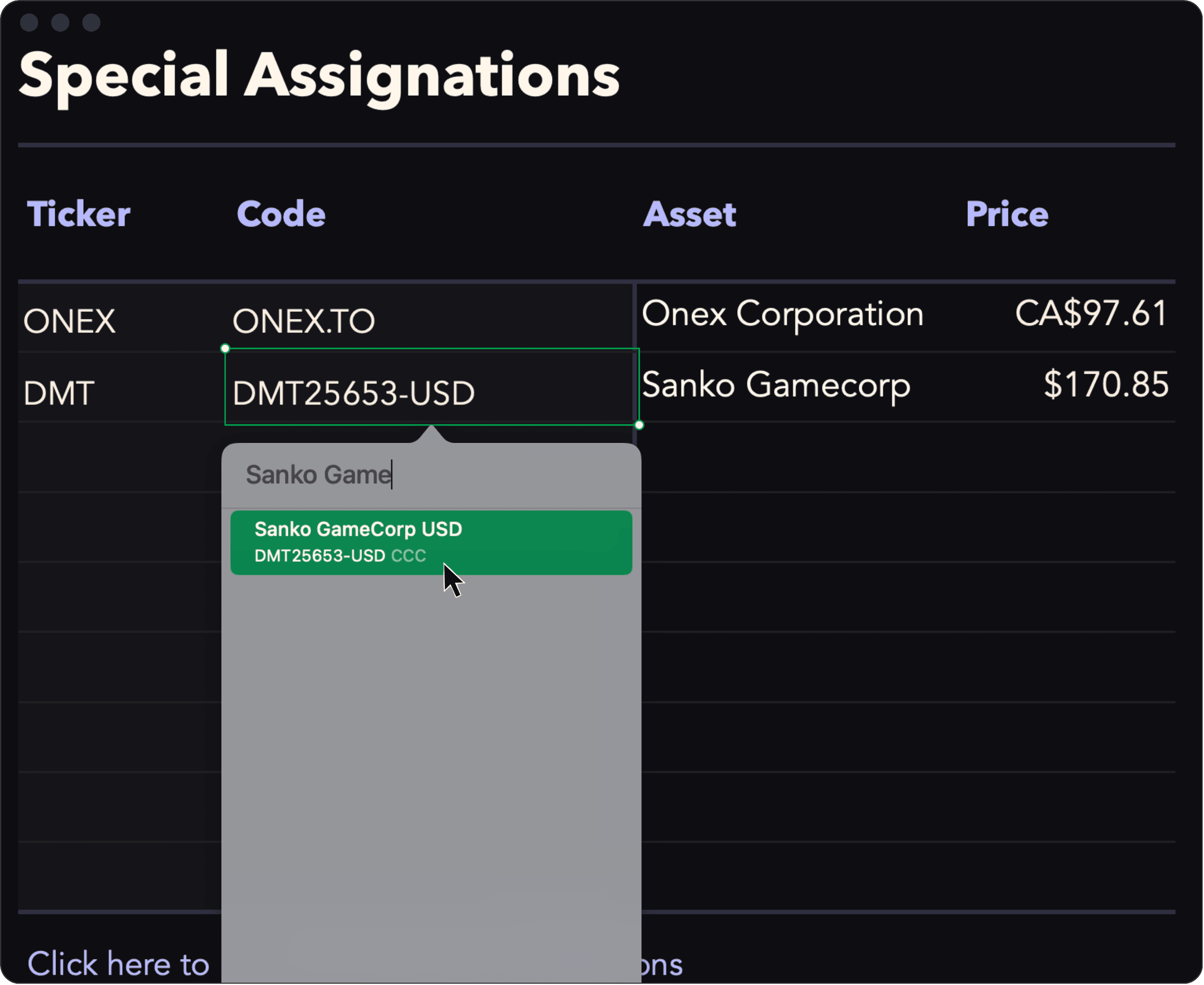
Reassign any ticker to any asset.
Easily override any automatic ticker-to-asset match. Simply enter the ticker you want to use and assign it any asset listed on Yahoo Finance / CMC.
This is particularly useful for stocks listed on foreign exchanges and for exotic tokens, which can sometimes share the same ticker.
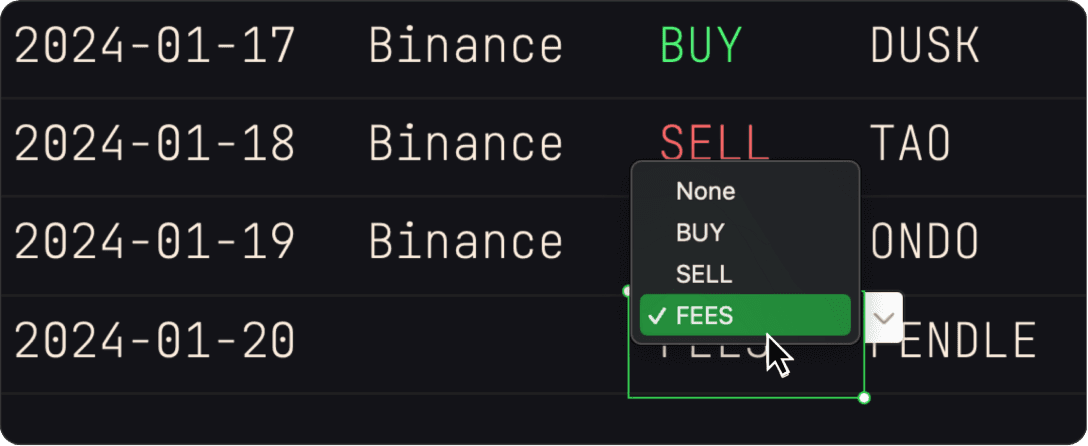
Add fees to your cost basis.
The FEES option allows you to add fees to the cost basis of a specific asset without entering a trade. This is useful to account for carrying costs or network fees
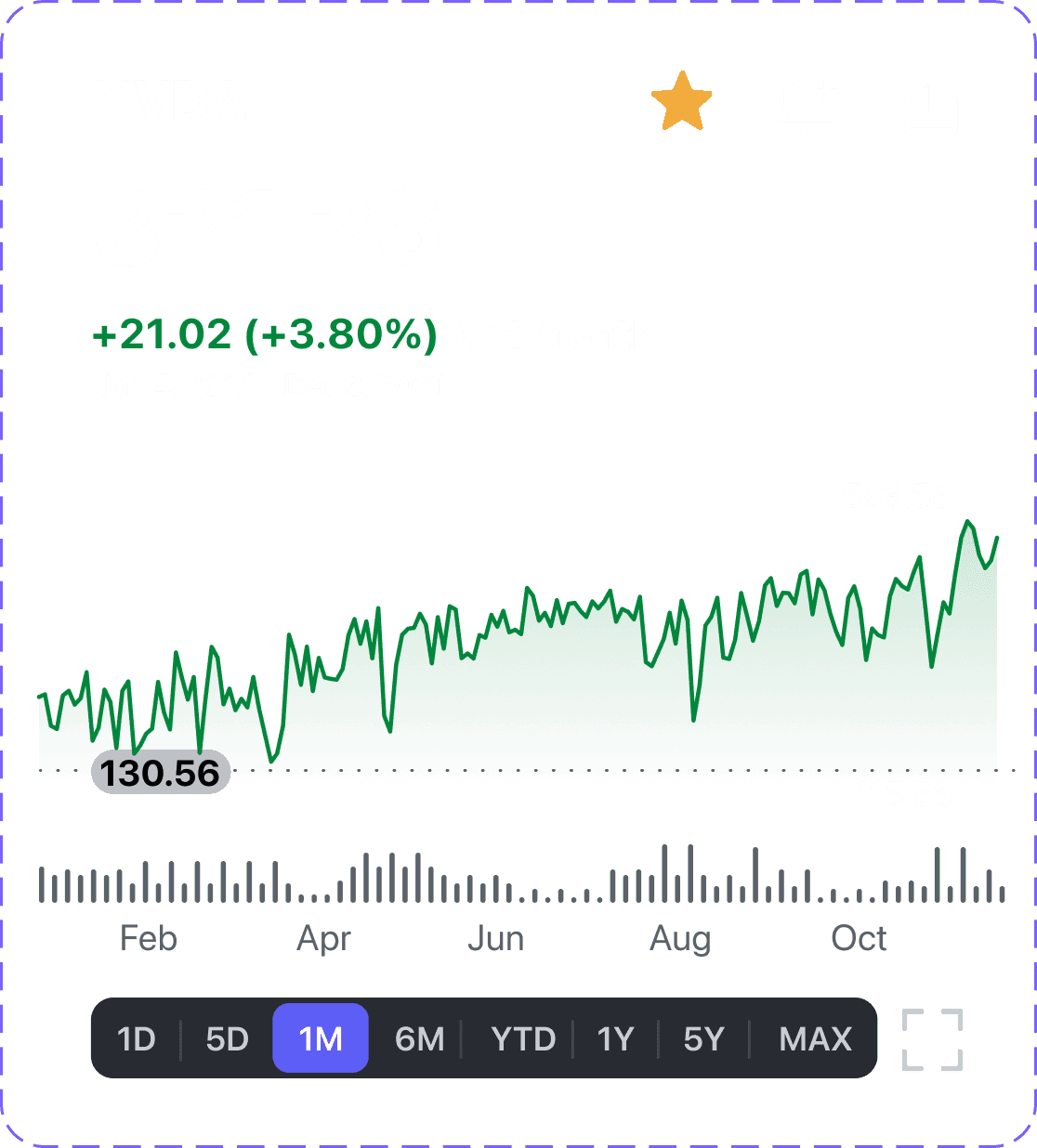
Click to view in Yahoo.
Click the name of an asset in your portfolio to open it in Yahoo Finance where you can see live charts and key statistics.
PowerUp
Import your trades.
The Smol Formatter helps you batch-import your trading history from exchanges into Smol Compute's Portfolio Trackers.
Learn more about the Smol Formatter
Compare versions

Have any questions?
Message us