Portfolio Tracker Pro
$50
Buy NowYou'll receive
a Numbers file
a quick-start guide
Includes
lifetime updates
both light and dark themes
Track anything,
Smol Compute builds on top of Apple's native integration of Yahoo Finance and CoinMarketCap data, ensuring robust and accurate price feeds are used to track your portfolio. You can track anything: virtually all stocks, ETFs, coins, and tokens. Even your favourite exotic micro-cap.


privately.
Designed to keep your data fully private. Local-first means your data stays on your computer. If you choose to sync your portfolio via iCloud to access it across devices, you can retain full privacy with end-to-end encryption for iWork documents.
Manage multiple accounts.
Keep things separate while retaining an overview of your entire portfolio.
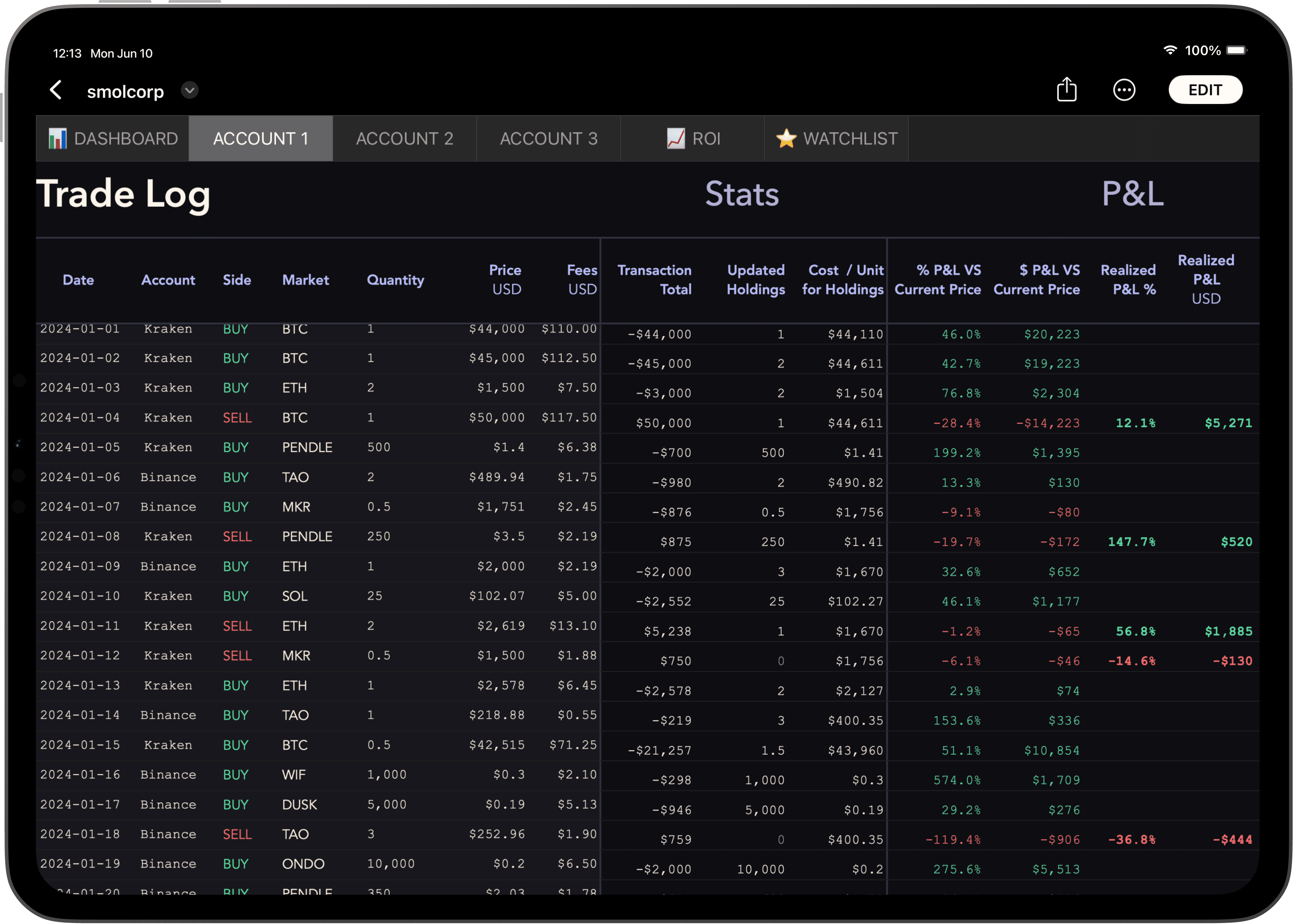
Accounts are the building blocks of your portfolio.
Each account is tracked independently and is self-contained on a single sheet, with its own Trade Log, Holdings Breakdown, and ROI chart.
See the full picture.
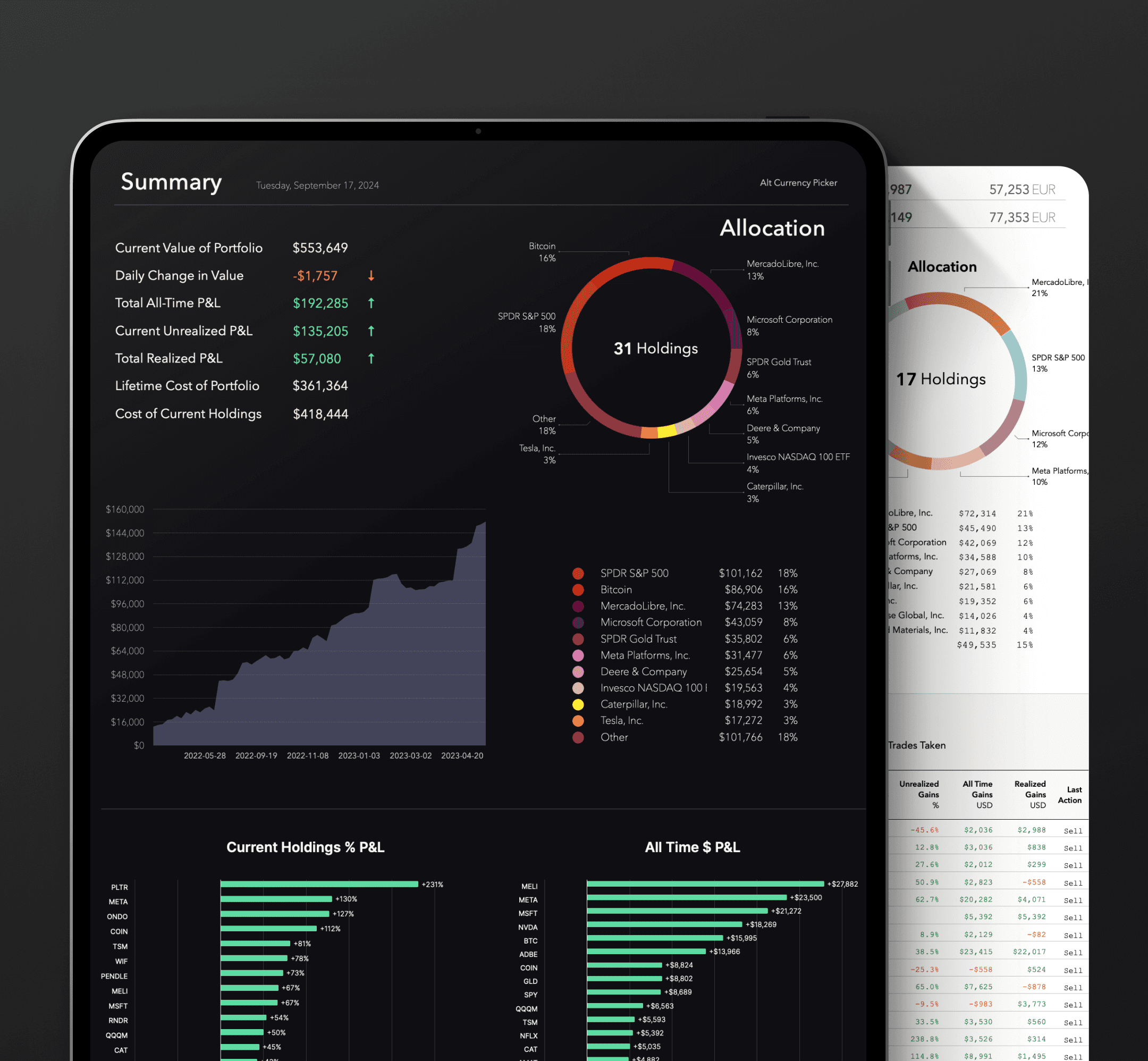
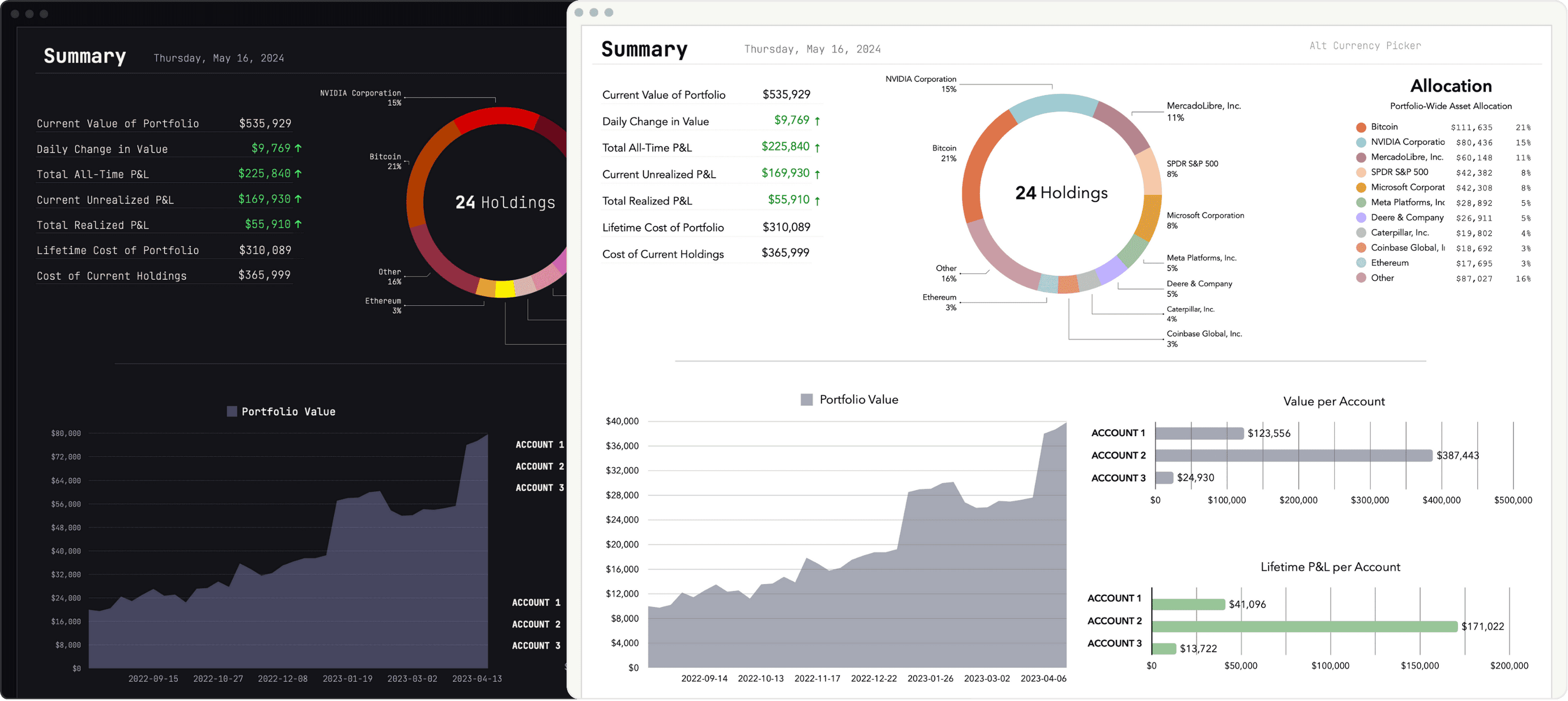
The Dashboard pulls data from all your accounts to give you the full picture. A panoply of widgets provides a visual report on your holdings' performance.
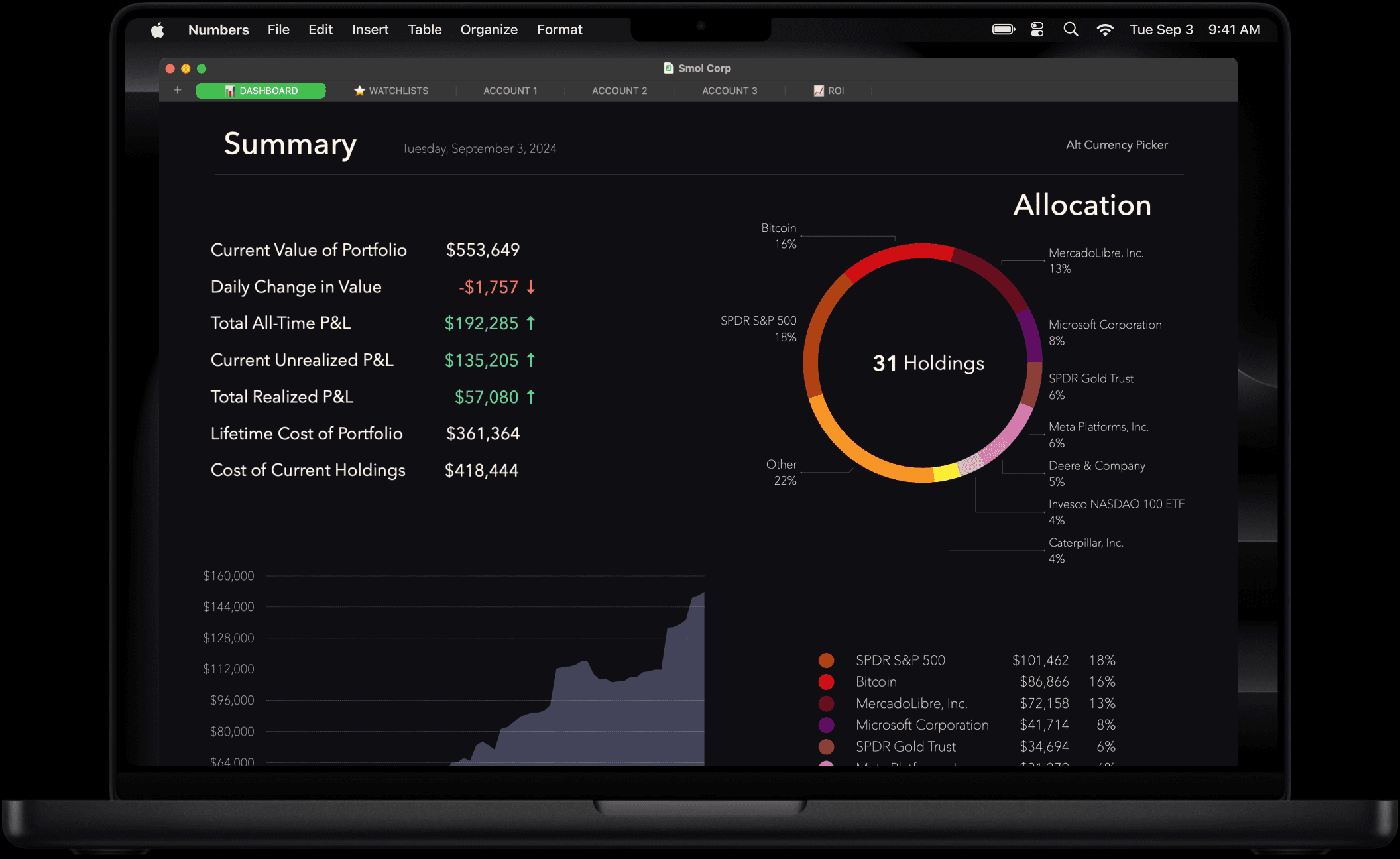
Portfolio-wide stats.
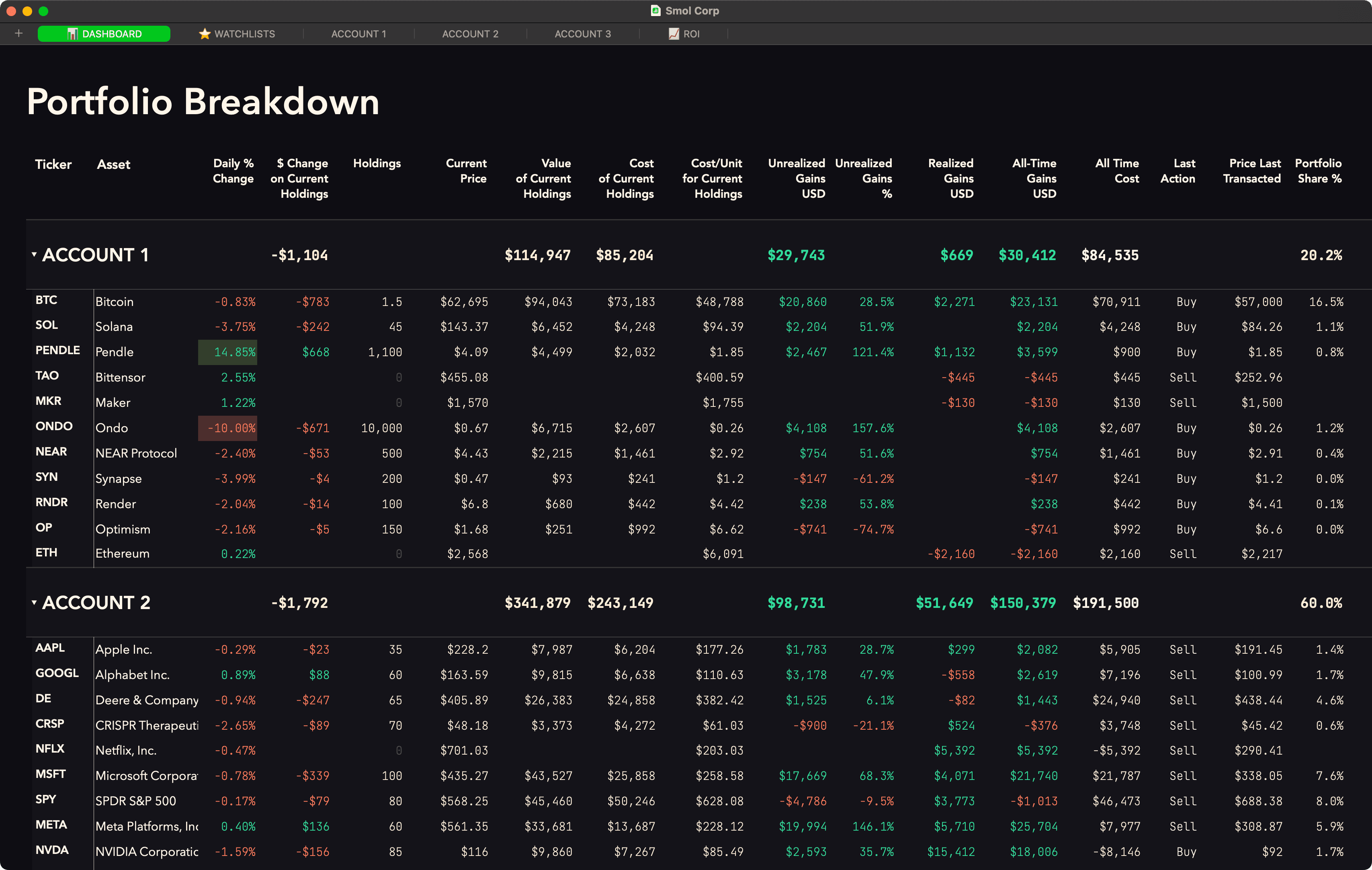
The Dashboard also houses the Portfolio Breakdown. This comprehensive data table gives you granular statistics about your holdings and allows you to sort your entire portfolio by a variety of metrics.
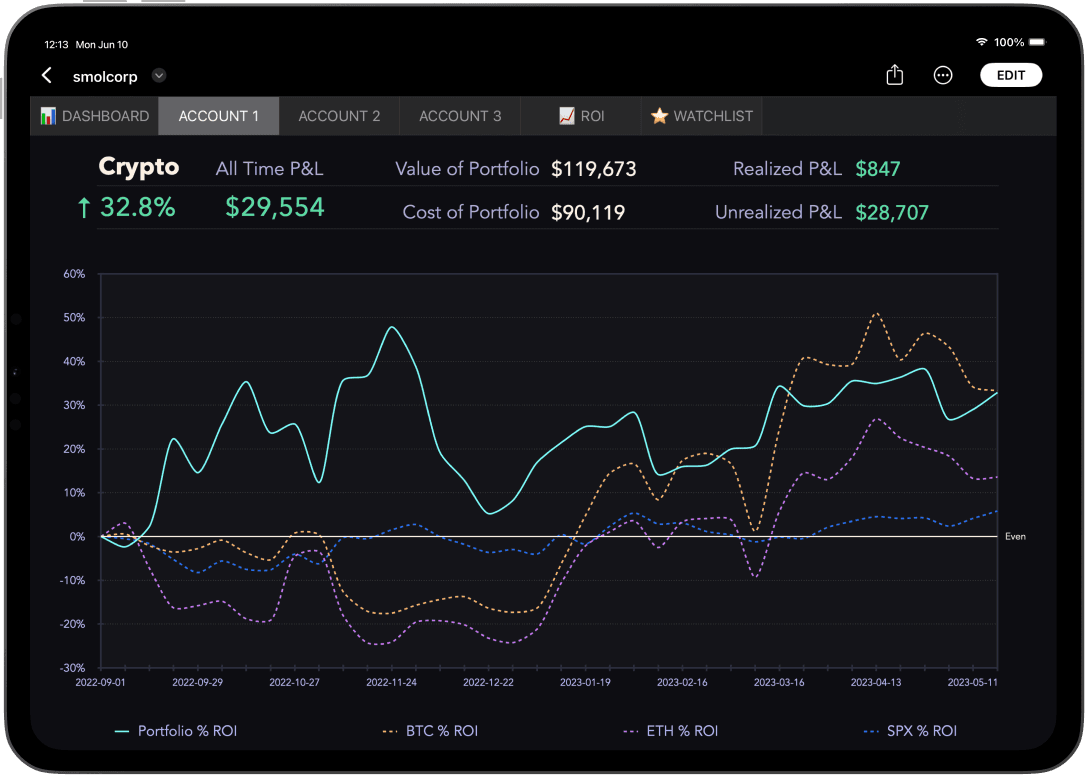
ROI charts.
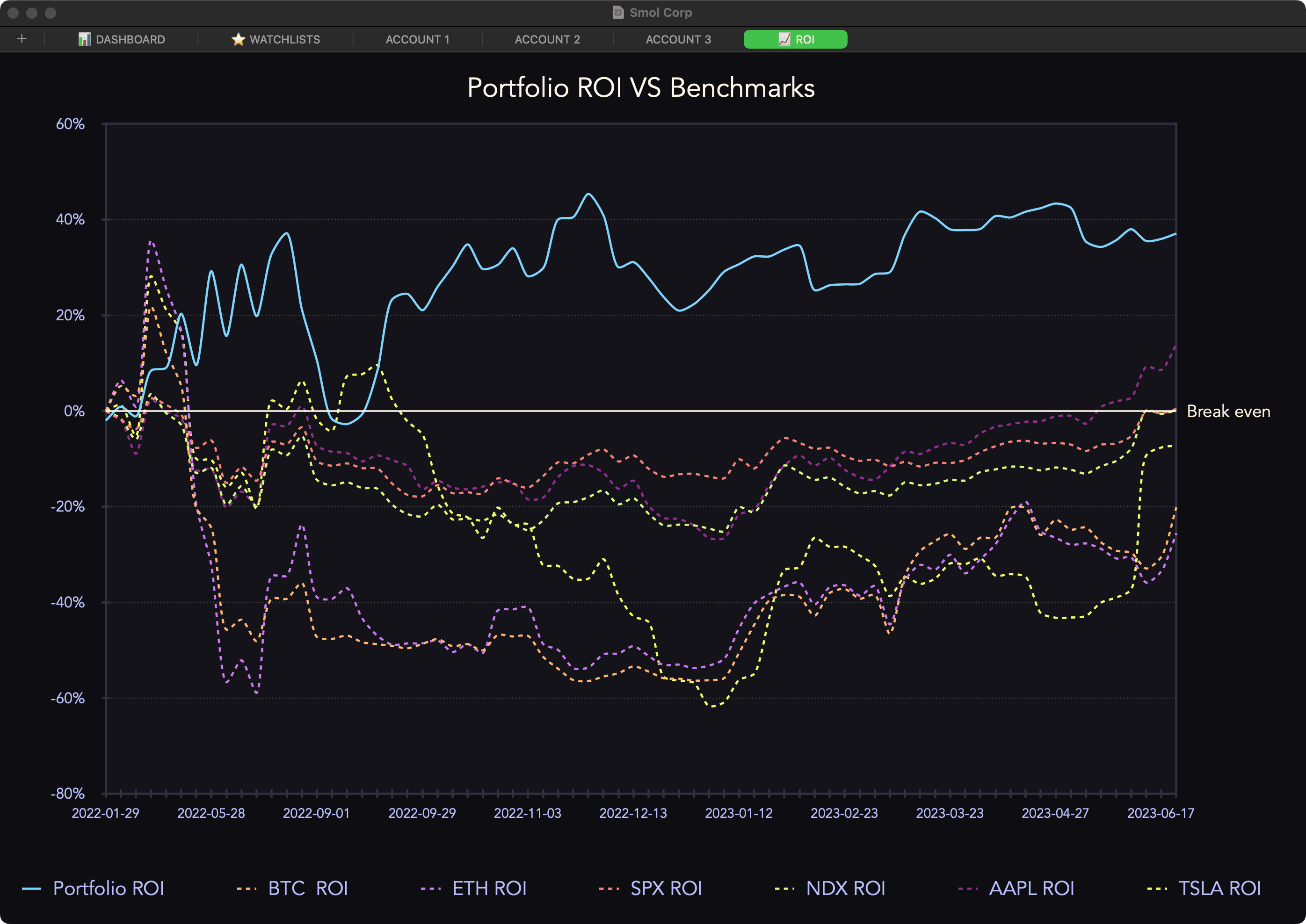
The ROI tab aggregates data from all your accounts and plots your entire portfolio’s performance on different charts.
You can toggle popular benchmarks to add them the chart or add your own simply by entering tickers.
Additional charts let you track your portfolio's BTC & ETH valuations over time and compare your ROI (return on investment) against BTC and ETH in addition to your return against the US dollar. This is done by keeping track of your portfolio's cost measured in these different currencies.
You can toggle popular benchmarks to add them the chart or add your own simply by entering tickers.
Additional charts let you track your portfolio's BTC & ETH valuations over time and compare your ROI (return on investment) against BTC and ETH in addition to your return against the US dollar. This is done by keeping track of your portfolio's cost measured in these different currencies.
Always with you.
Online or offline.
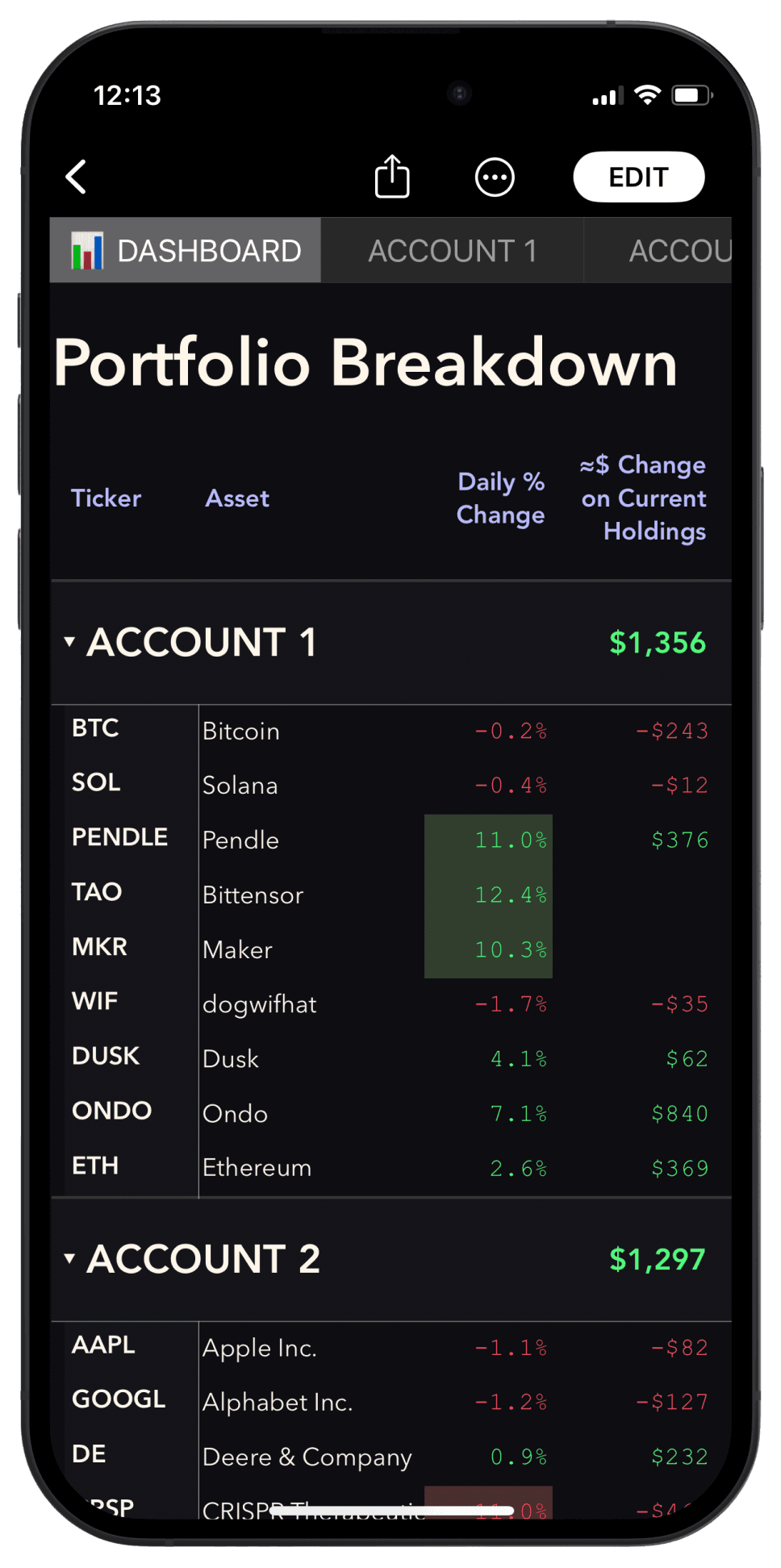
Desktop or mobile.
Any device. Anytime.
Supports most currencies.
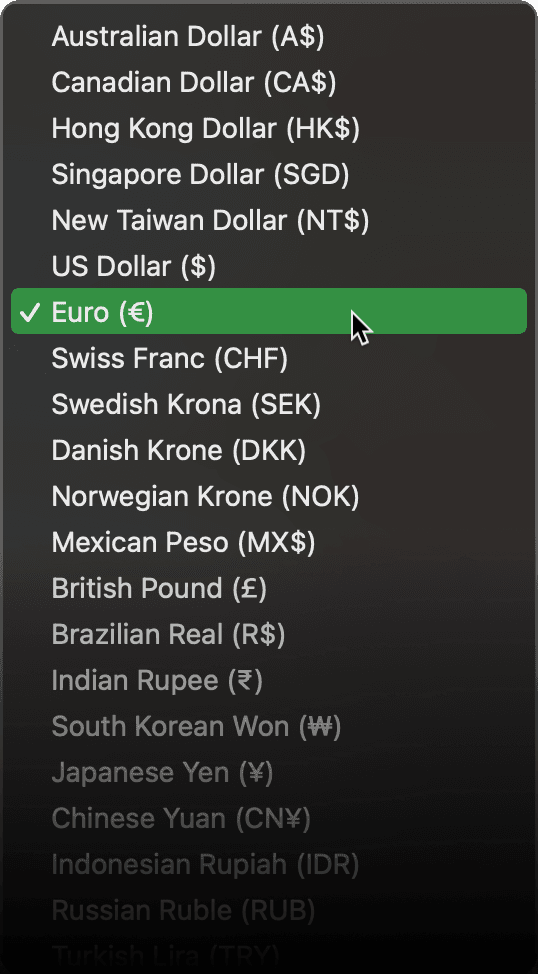
Change the primary currency of the Tracker to your local currency. Smol Compute supports over 30 national currencies.
Set a secondary currency.
If you trade assets quoted in USD but live outside of the US, you can also select a secondary currency to monitor important stats in your local currency.
Light & dark themes.
Pick a style. All our Portfolio Trackers include both light and dark themes.
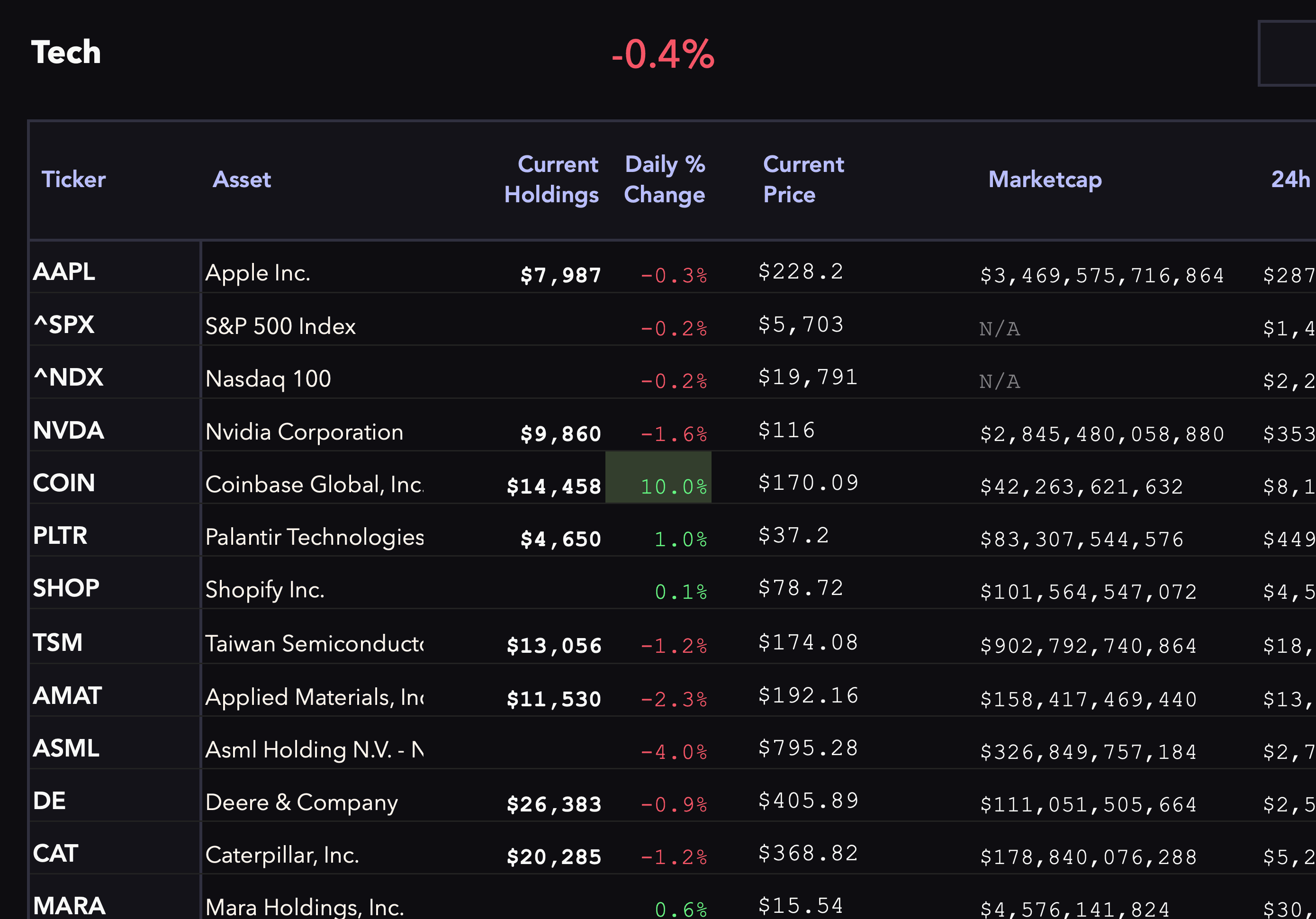
Create watchlists on the fly.
Enter the tickers you wish to track to see your watchlists populate with stats.
The Target MktCap Tool allows you to set a target market cap to see, for each asset in your watchlist, the X multiple that corresponds to this asset reaching your target market cap.
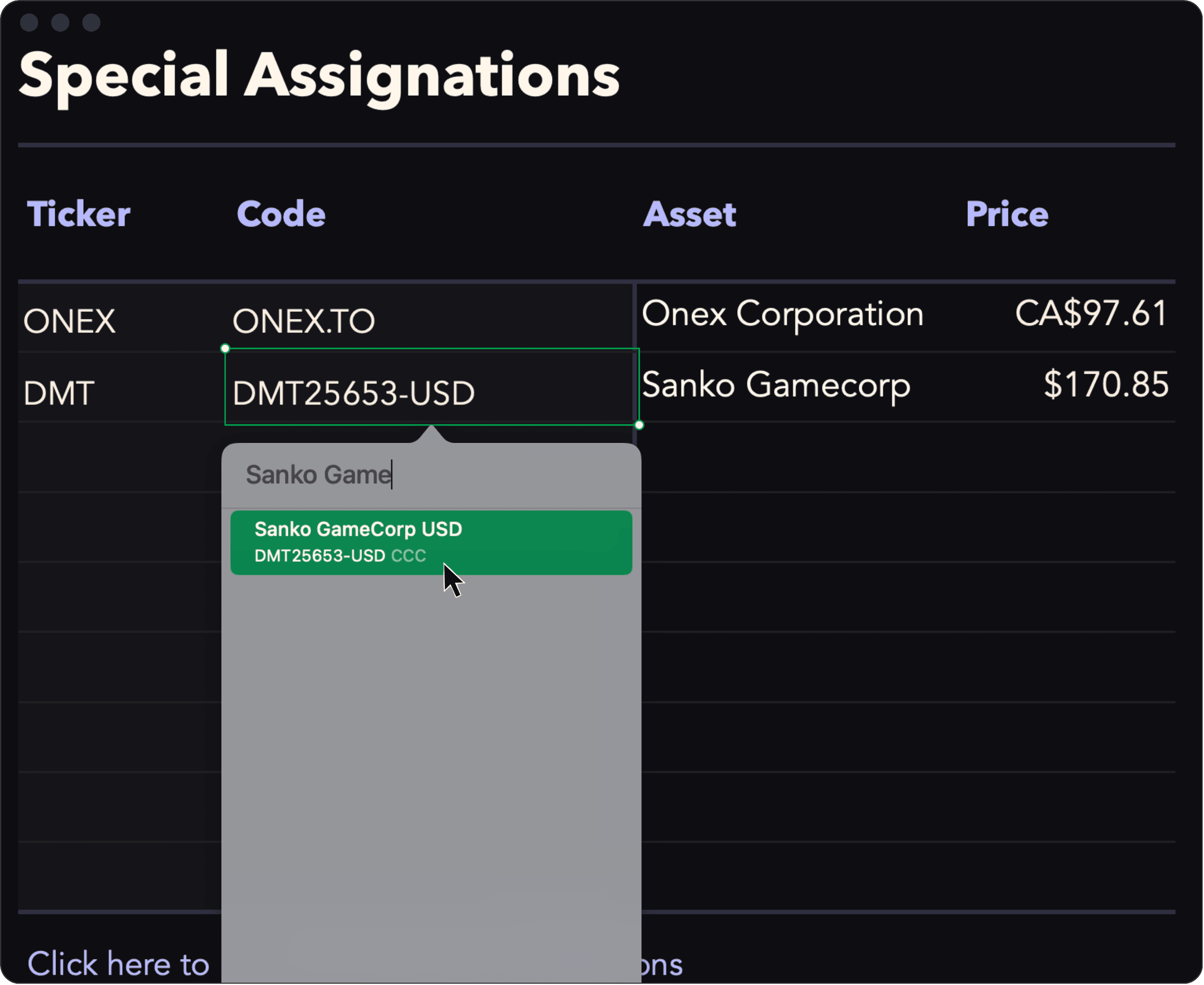
Reassign any ticker to any asset.
Easily override any automatic ticker-to-asset match. Simply enter the ticker you want to use and assign it any asset listed on Yahoo Finance / CMC.
This is particularly useful for stocks listed on foreign exchanges and for exotic tokens, which can sometimes share the same ticker.
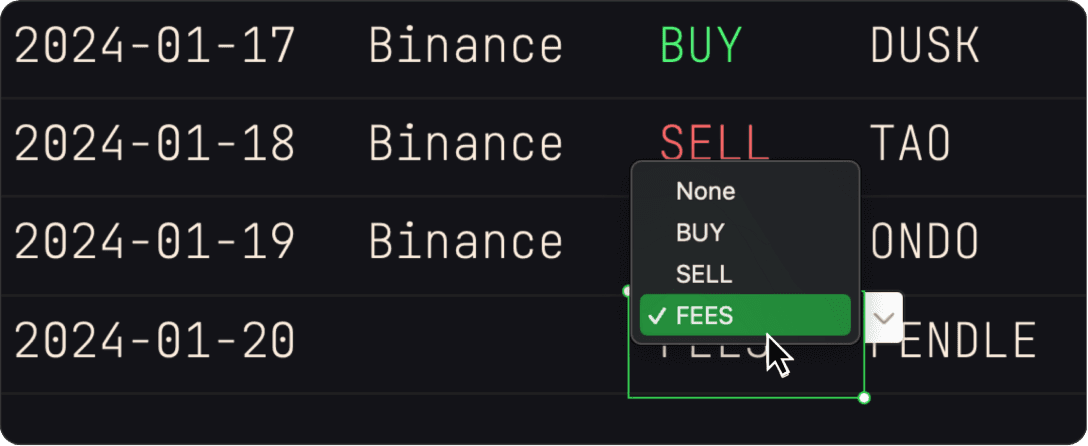
Add fees to your cost basis.
The FEES option allows you to add fees to the cost basis of a specific asset without entering a trade. This is useful to account for carrying costs or network fees
Click to view in Yahoo.
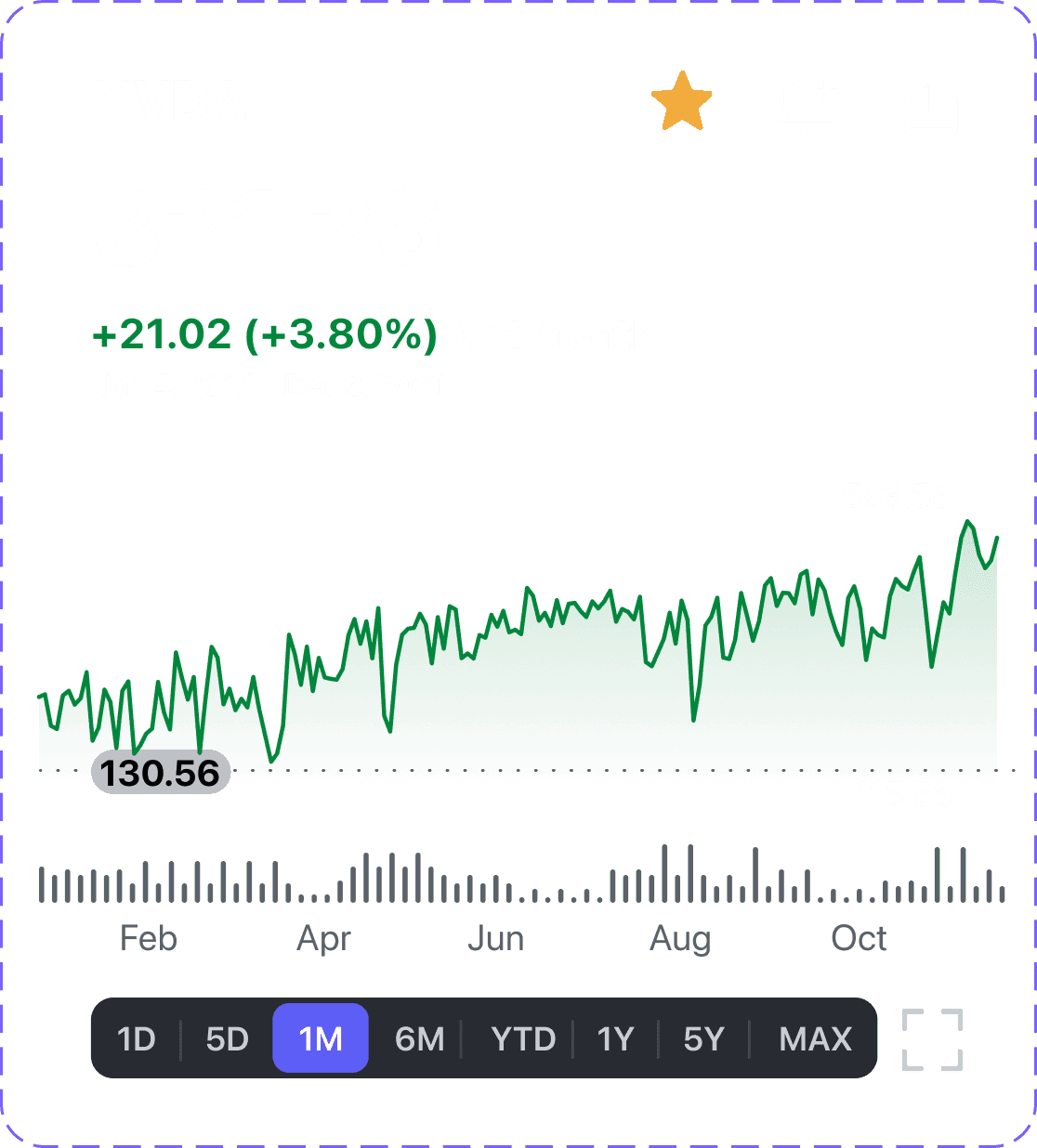
Click the name of an asset in your portfolio to open it in Yahoo Finance where you can see live charts and key statistics.
PowerUp
Import your trades.
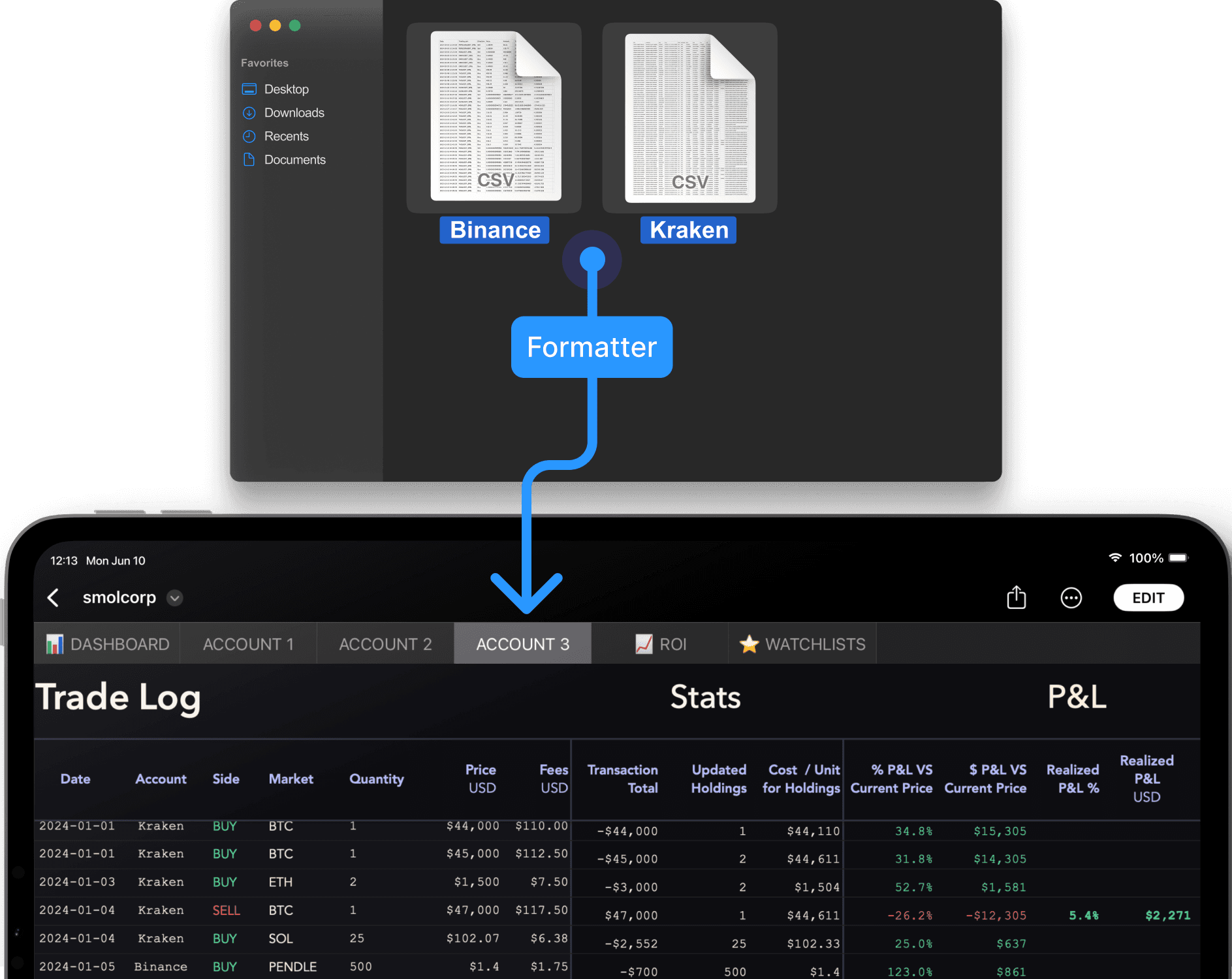
The Smol Formatter helps you batch-import your trading history from exchanges into Smol Compute's Portfolio Trackers.
Learn more about the Smol Formatter
Have any questions?
Message us